 Khanta
Delegate without losing control.
Roles set what each person can do. Limits decide how big a refund or supplier payment someone can make alone. Anything bigger waits for you.
What it does
Four roles
Owner, manager, staff and a read-only auditor. Fine-tune with access grants for each person and each store.
Limits and approvals
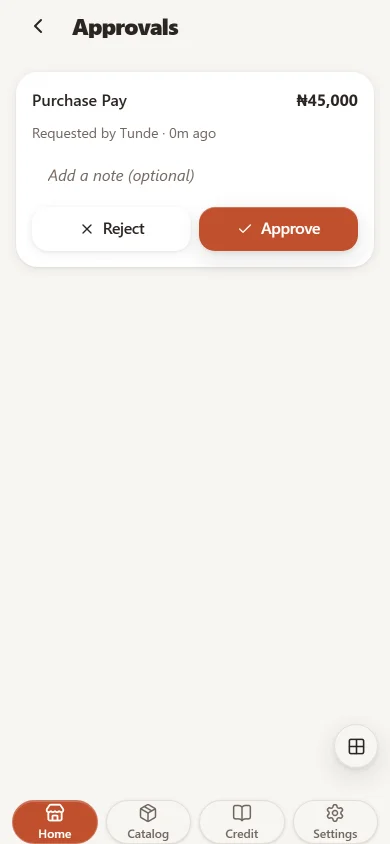
Refunds and supplier payments over a person's limit go to Approvals for a manager or the owner.
Shift handover with a count
Open and close each shift with a count. A shortfall beyond your tolerance is flagged and attributed to whoever held the shift.
Shared phones, personal PINs
Staff switch on a shared device with their own PIN, so every sale and correction carries a name.
Bring staff phones in safely
Pair a device with a code that expires in 10 minutes, then let trusted people sign in with Face ID, Touch ID or Android biometrics.
Several stores, one account
Each store keeps its own stock, staff and credit book. You see the combined picture and decide who works where.
Location, only with consent
For delivery or multi-stop staff, a live team map works only when both owner and staff agree. Off by default.
Remove access, keep history
Deactivate someone the day they leave. Their records stay.
Three steps in the app
- Open Settings, then Team & access.
- Add each person with a role.
- Set refund and payment limits under Access & grants.
It connects to every other part
Every feature on every plan
Start with 14 days of full access. No card required.
Open Khanta app