 Khanta
Know what you bought, what it cost and what you still owe.
Every restock is a purchase record with quantity, unit cost and who received it. Supplier balances, payments and returns live in the same books.
What it does
Purchases that feed the books
Each restock records product, quantity, unit and cost. Cost of goods and margin come from real purchase history.
Supplier accounts
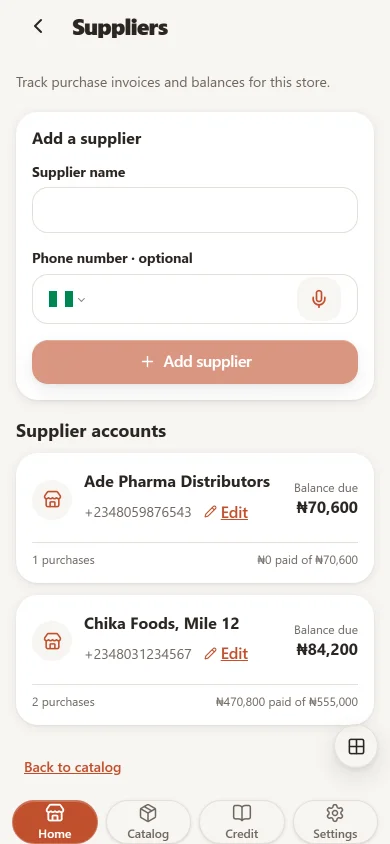
Keep each supplier once, with their purchase invoices and the balance still owed.
Pay suppliers properly
Record cash or bank transfer payments. A transfer needs its reference; cash comes out of the open register.
Returns to supplier
Return untouched, expiry-tracked lots from a delivery and keep the supplier credit on record.
Limits and reversals
A payment or reversal above a staff member's limit waits for a manager or the owner to approve it.
Restock alerts with the supplier at hand
Low-stock alerts reach you in the app inbox, by push, or on the store's connected WhatsApp, with the supplier's number on the alert.
Three steps in the app
- Add your suppliers from the Suppliers screen.
- Record each restock with quantity and unit cost.
- Record payments against the supplier invoice as you pay.
It connects to every other part
Every feature on every plan
Start with 14 days of full access. No card required.
Open Khanta app