 Khanta
Help
Answers for owners and staff.
Start with a guide, or jump to the part of Khanta you are setting up. Still stuck? Contact support and a person will reply.
Guides
Start here
Getting started
Set up your store, add products, make a sale, handle returns and credit, step by step.
Open guideStaff access and PINs
Add staff, get them signed in on their own phone or a shared device, and what the PIN is for.
Open guideInstall the app
Put Khanta on your home screen on iPhone or Android, no app store needed.
Open guideBilling and renewals
Trials, plan capacity, payments, renewals and changing plans.
Open guideBy part of the product
First steps for each part
Checkout and credit
- From Home, tap New sale.
- Find, scan or say the item, then choose how the customer paid.
- Send or print the receipt.
Inventory and expiry
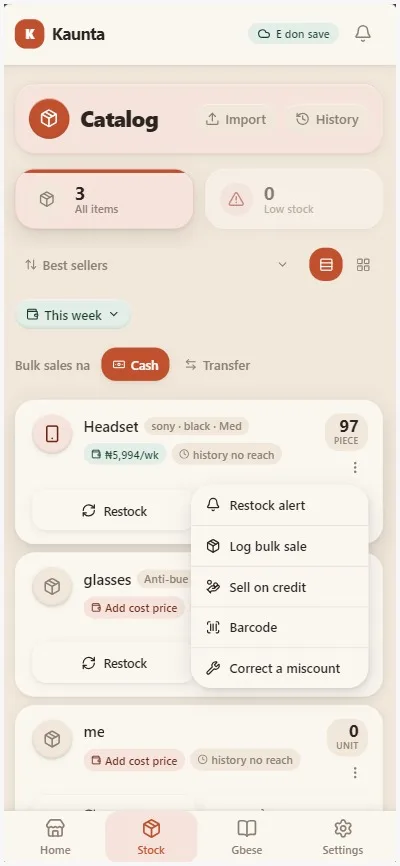
- Add your top products from Catalog.
- Set how you count each one (bag, cup, piece).
- Turn on expiry by lot for anything perishable or regulated.
Purchasing and suppliers
- Add your suppliers from the Suppliers screen.
- Record each restock with quantity and unit cost.
- Record payments against the supplier invoice as you pay.
Team and access
- Open Settings, then Team & access.
- Add each person with a role.
- Set refund and payment limits under Access & grants.
Books and audit
- Open Reports from Home.
- Choose a period.
- Invite your accountant as an auditor from Settings.
Loss prevention and Shop Health
- Open Home to see Shop health and the check-in list.
- Tap an item to open the record behind it.
- Choose who gets daily or weekly reports in Settings, under Notifications.
Still need help?
Talk to a person
Send a message from the Contact page, or from Support inside the app.
Contact support