 Khanta
Know what is happening in your shop.
Act before it costs you.
One clear view of stock, sales, expiry, credit and the people handling your till. Made for the way independent shops actually run.
Everything connects back to the shelf.
Browse by the job you need to get done. Each tool feeds the same dependable picture of your shop.
Getting the shelf into the system
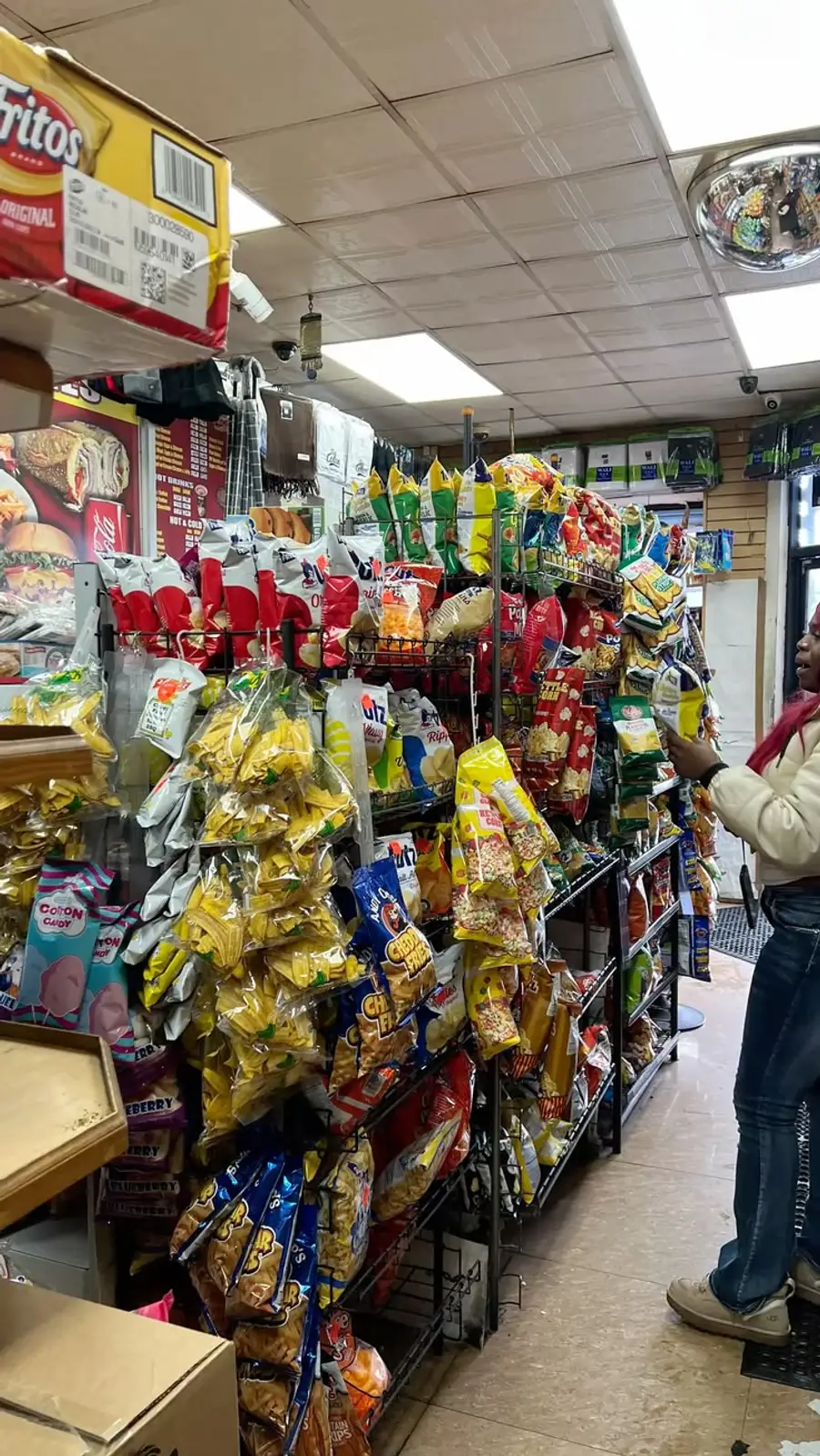
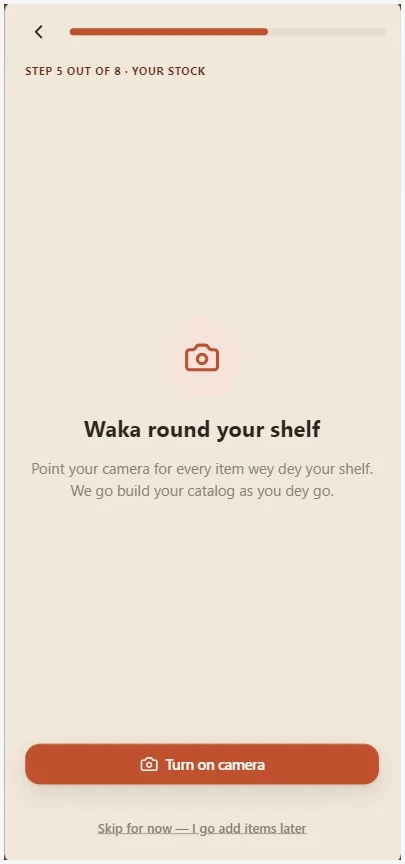
Camera + voice catalog capture
Point your phone at your shelf and say what you're stocking, no typing product names, no hunting for barcodes that don't exist.
- Capture a photo of a shelf or product to start a catalog entry
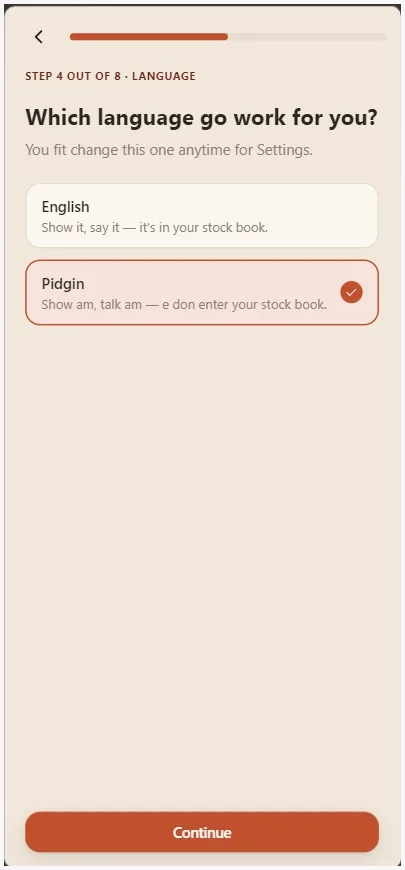
- Name it and its quantity by voice, in English or Nigerian Pidgin
- Every capture adds a new record to the stock history; it never just overwrites the last number
- Every entry is credited to whichever staff member made it, not just the shop
Hierarchical unit conversion
Buy by the bag, sell by the derica: set the ratio once, and every sale updates stock at every tier automatically.
- Define whatever unit hierarchy fits the product, your own ratio, not a fixed metric conversion
- Selling one derica deducts exactly 1/40th of a bag, or whatever ratio you set
- Ratios stay editable later without corrupting past stock records
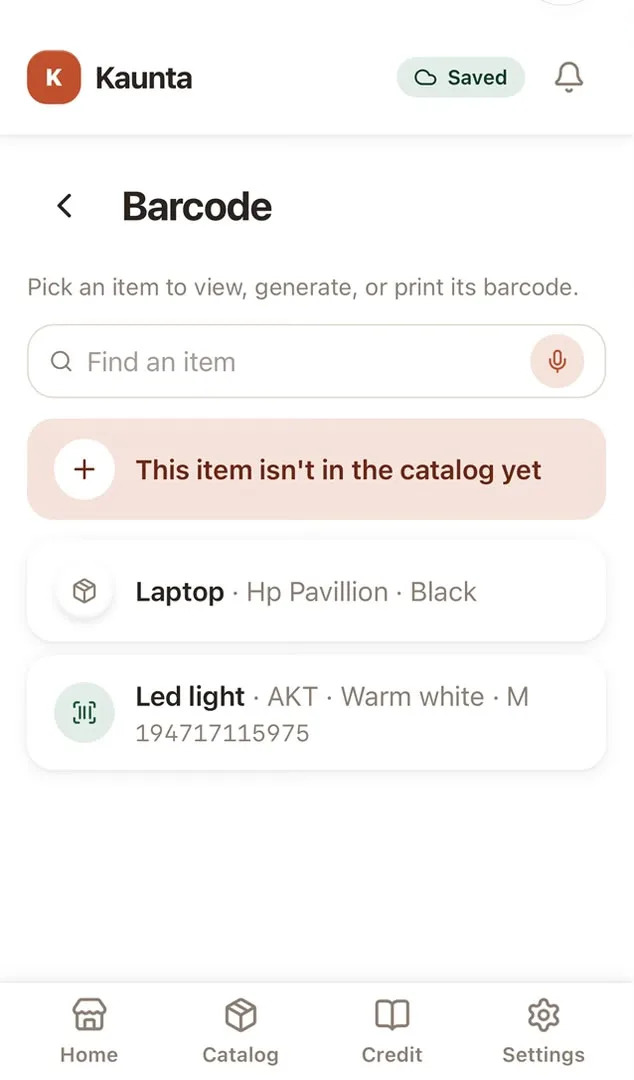
Barcode scanning, generation & public product pages
Scan a real packaged item, or print your own code for loose goods; either way, a till lookup takes one scan.
- Scan a real product's barcode; an unrecognized one triggers a best-effort external lookup to prefill name/brand
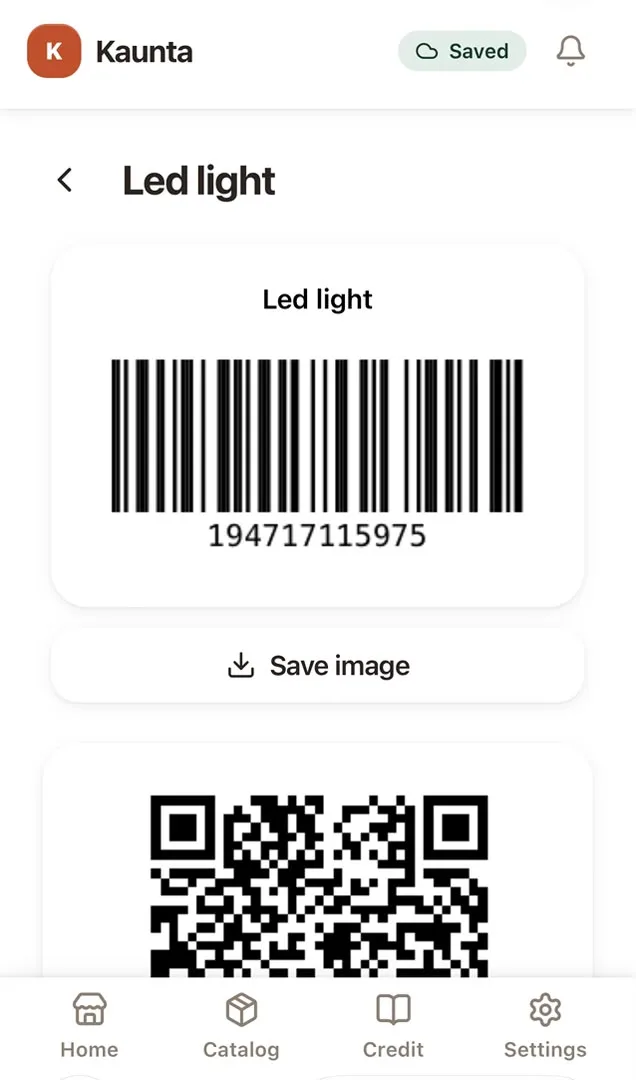
- Generate your own barcode for anything that doesn't have one, a bag of garri, your own house-blend spice mix
- Each generated code opens a public page a customer's own phone can scan: name, price, photo only, never your cost or margin
Bulk catalog import from a spreadsheet
Already have 200 products sitting in an old Excel sheet? Upload it once instead of typing each one in by hand.
- Download a fill-in-the-blanks CSV template, or line your own sheet up to match it
- Upload up to 5,000 rows at once; each row becomes a real catalog entry, units and all
- Every row that fails is listed with exactly why, nothing silently dropped or guessed at
Expiry dates & lot tracking
Perishables and medicine don't all expire on the same day; Khanta tracks each batch's own date, not one date for the whole product.
- Record an expiry date per batch as stock comes in, not just once per product
- A dedicated Expiry screen splits what's already gone off from what's coming up, soonest first
- Catch a batch before it becomes waste, instead of finding out at the shelf
Stock take: scan-and-count reconciliation
Count what's actually on the shelf and let Khanta tell you exactly where the system disagrees, not just that it does.
- Scan or search each product and enter the physical count in front of you
- Khanta compares it to what the system expects and flags every mismatch, not just the big ones
- Apply corrections in one pass once you've counted, with a record of what changed and why
Knowing what you're owed, and what you're making
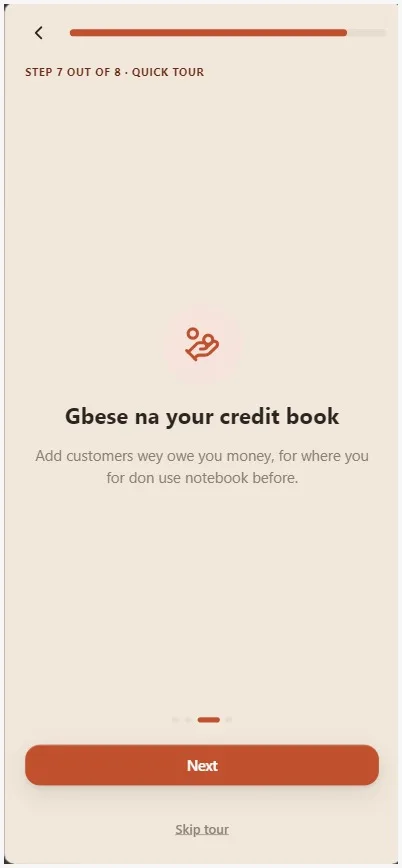
Gbese: credit book + WhatsApp reminders
Record who owes you and schedule polite reminders. WhatsApp reminders are sent only after the store owner connects that store's own WhatsApp account.
- Log a credit sale with just a name and phone number, no formal ID
- Running balance per customer, updated instantly
- Schedule polite WhatsApp reminders; they stay off until the store owner connects that store's WhatsApp account in Settings
- Messages come from the WhatsApp account connected for that store, never a shared Khanta number
- Mark a debt paid off, fully or partly, and it's logged as its own entry, not just a number that quietly changed
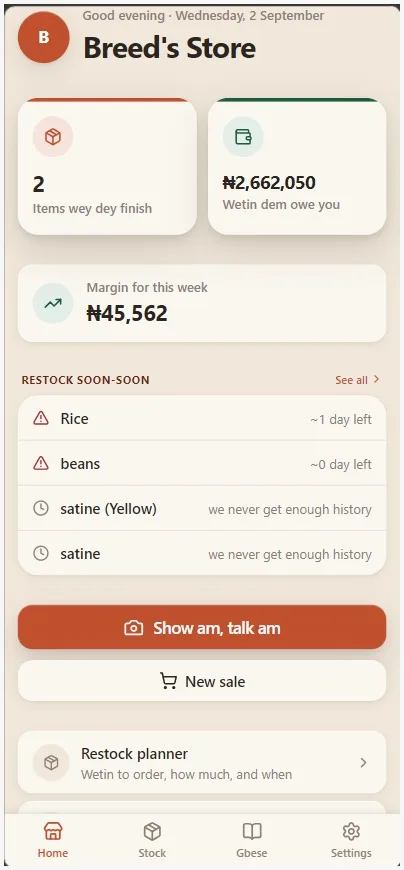
Margin & honest restock signals
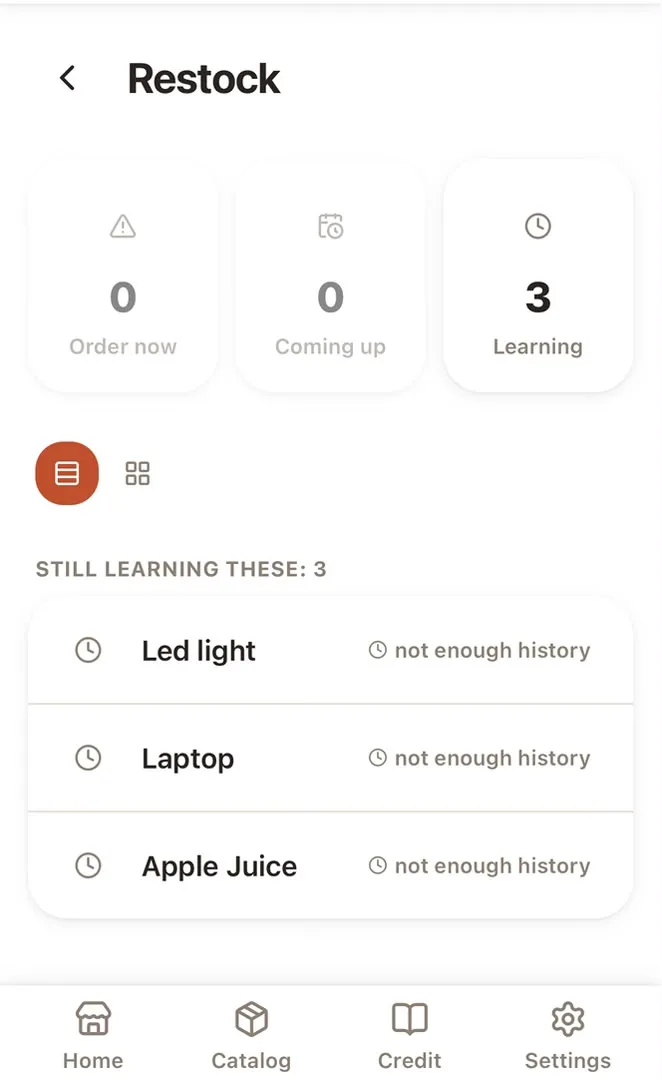
Know if you're making money and when you're about to run out, from your own real sales pace, never a guess dressed up as a prediction.
- Optional cost price at intake; margin is sale price minus your own running average cost
- Haven't entered a cost price yet? Khanta just says so, instead of guessing a margin for you
- A reorder point computed from your actual sales pace plus a safety-stock buffer, not just a flat 'low' flag
- A suggested reorder quantity and an order-by date, so 'restock soon' becomes an actual number to act on
- Plain statistics on your own sales history, always labelled an estimate, never marketed as AI
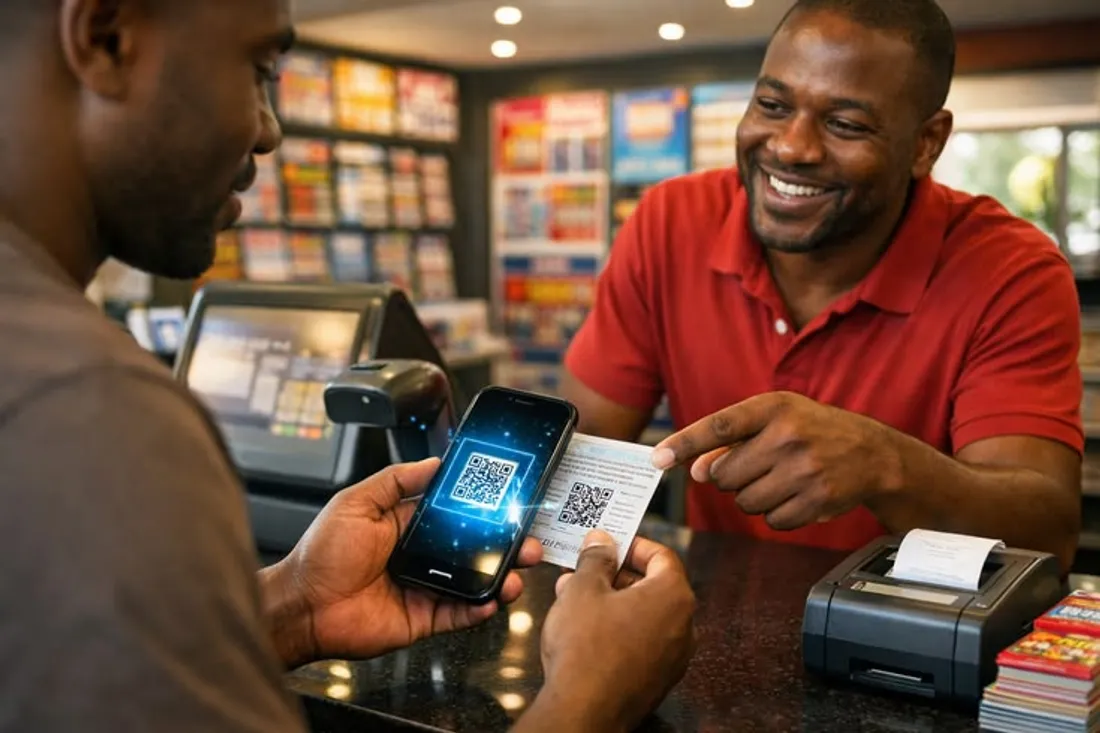
WhatsApp receipts
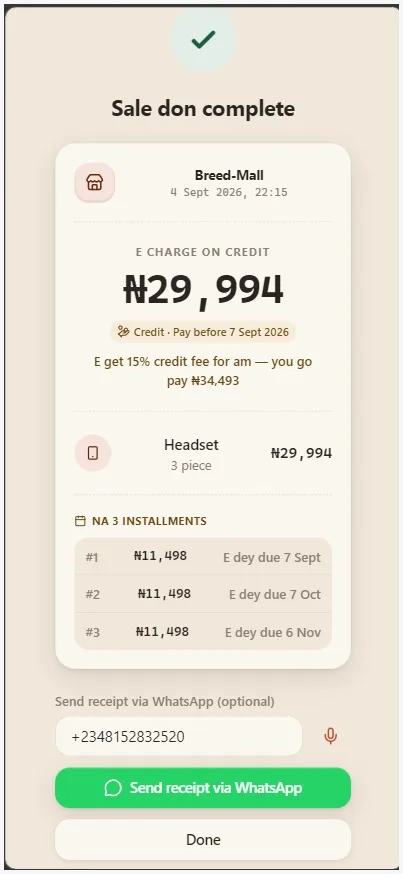
Send an itemized receipt to a customer's WhatsApp. Automated sending requires the store owner to connect the store's own WhatsApp account first.
- Once connected, send a PNG image receipt in one tap after a sale, or resend it from sale history
- The message comes from the WhatsApp account connected for that store; Khanta does not send it from a shared number
- The store owner connects it in Settings → Shop. We recommend phone pairing: request a code in Khanta, then enter it in WhatsApp under Linked devices → Link with phone number instead. This works even when Khanta and WhatsApp are on one phone
- QR pairing is available when Khanta is open on a second screen; scan it from WhatsApp → Linked devices → Link a device
- Without a connection, the receipt can still be opened in WhatsApp for you to send manually
- The store contact number shown on receipts is separate from the connected WhatsApp sender
More than one person touching the till
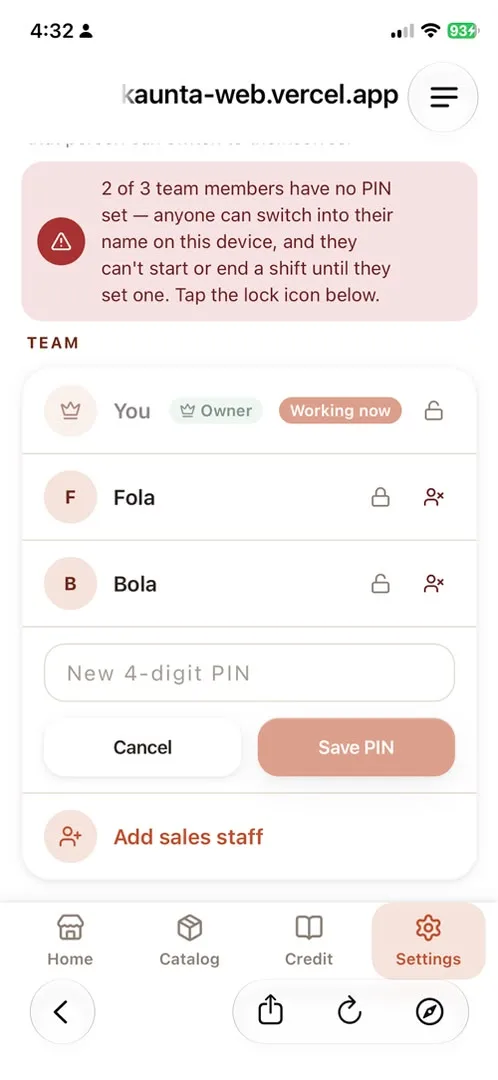
Staff accounts & PIN-protected switching
More than one person rings up sales; Khanta knows who, without everyone needing their own phone.
- Add staff by name; each gets their own PIN for a tamper-resistant local switch on a shared device
- Every sale, correction, and stock capture is attributed to the person who actually did it
- Deactivate a staff member's access the moment they leave: their history stays, their access doesn't
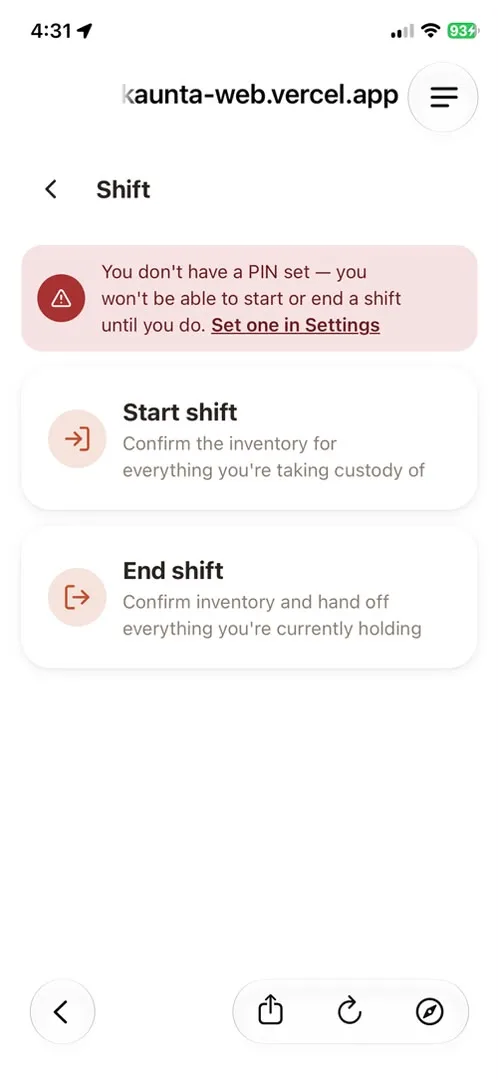
Shift & custody tracking
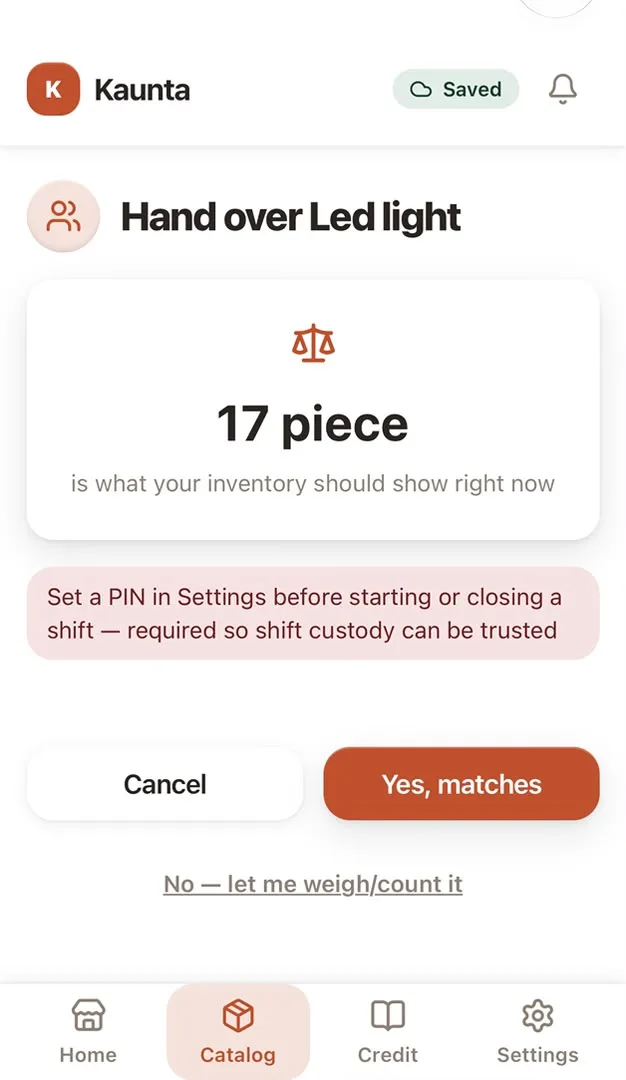
Hand the till to the next person with a real count, not a shrug; Khanta flags the gap if the numbers don't match.
- Clock in with an opening count; clock out with a closing one; the handover is the accountability moment
- A shortfall beyond normal tolerance gets flagged for the owner to see, attributed to whoever held custody
- Spillage or breakage can be logged as an explained loss instead of an unexplained one
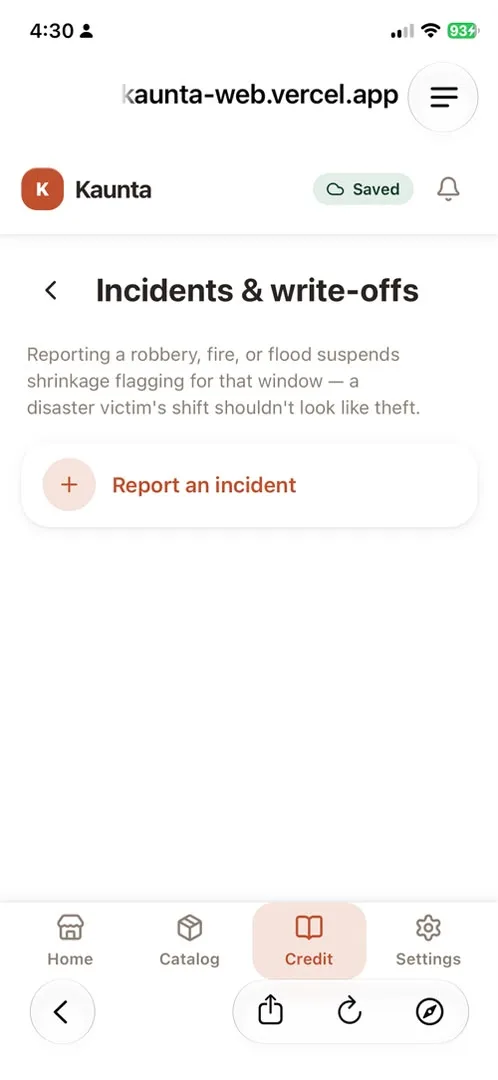
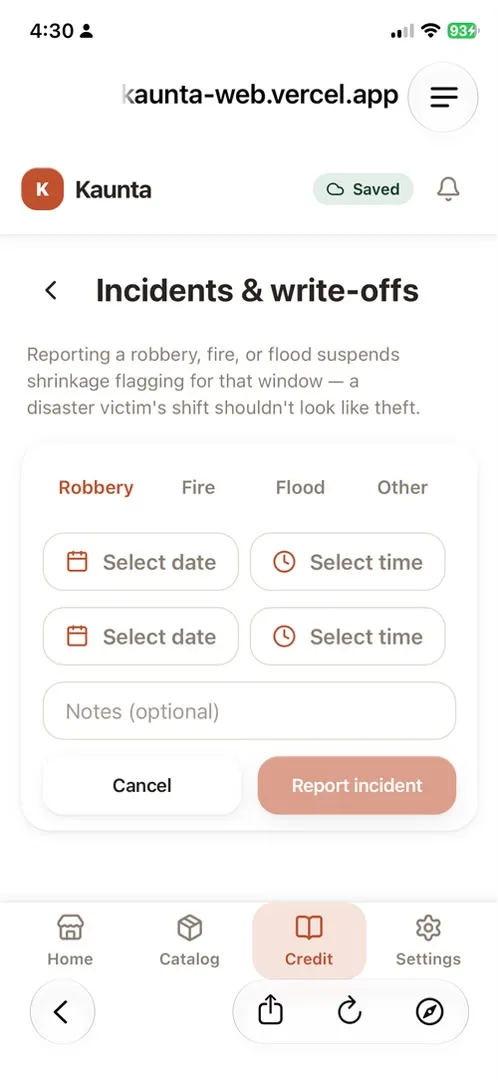
Incident reports, write-offs & returns
A robbery or a flood isn't the same as a missing shift count; Khanta lets you say so, and books the loss properly.
- Report a disaster window (robbery, fire, flood) and shift-variance flagging is suspended for it: a victim's shift shouldn't look like theft
- Book the resulting bulk stock loss as one write-off, not hundreds of manual corrections
- Customer returns are logged against the original sale, with an approval step above a value threshold
Live staff location, opt-in only
For delivery or multi-stop staff, see where your team actually is on a map, only with their consent, never a silent tracker.
- Two-party consent: a staff member sees and agrees before any location is shared, same as the owner does
- Owners get a live team map; each staff member can see their own trail, nobody sees anyone else's
- Off by default per store; nothing is tracked unless you turn it on
Works the way a real shop actually runs
Offline-first, never blocked on a signal
A sale doesn't wait for a network bar. It saves to the phone first, syncs the moment a connection is back.
- Every sale, restock, and correction writes locally first; the till never freezes waiting on the network
- A permanently-failed sync (not just a slow one) shows up clearly, with a one-tap retry; never silently lost
- Close the app and come back days later. Anything still queued is where you left it, ready to sync when you are back online.
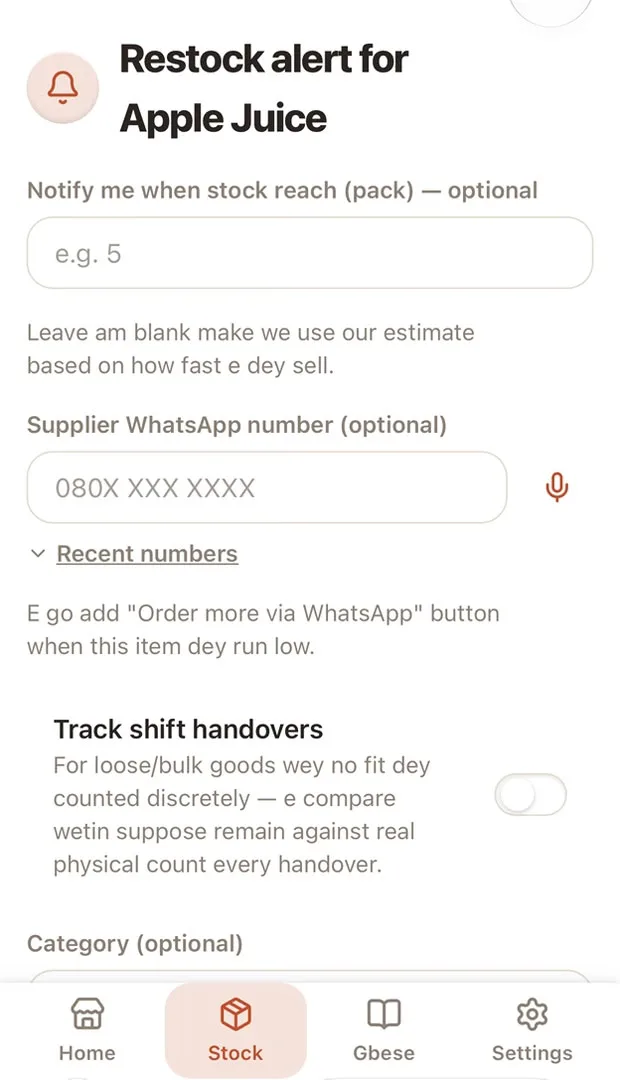
Restock alerts, however you'll actually see them
Low-stock alerts can reach you by push notification. WhatsApp delivery is available after the store owner connects that store's account.
- After the store owner connects WhatsApp, alerts are sent from that store's connected account
- Without a WhatsApp connection, use the in-app inbox or push notifications where enabled
- Connecting a store contact number alone does not enable WhatsApp sending
- Neither channel needs the app open in the foreground to fire
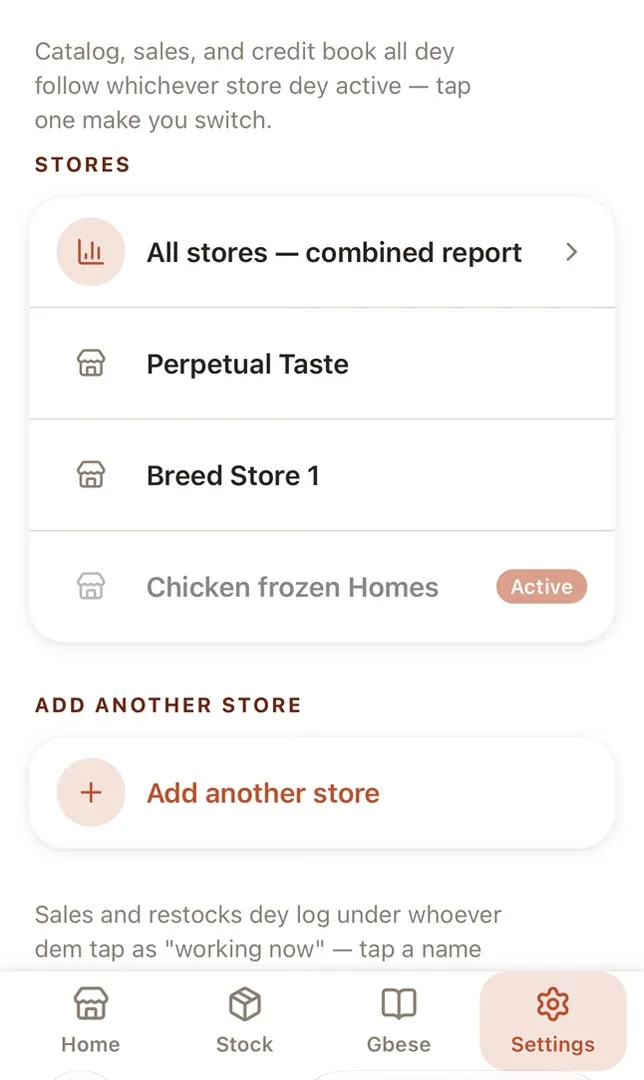
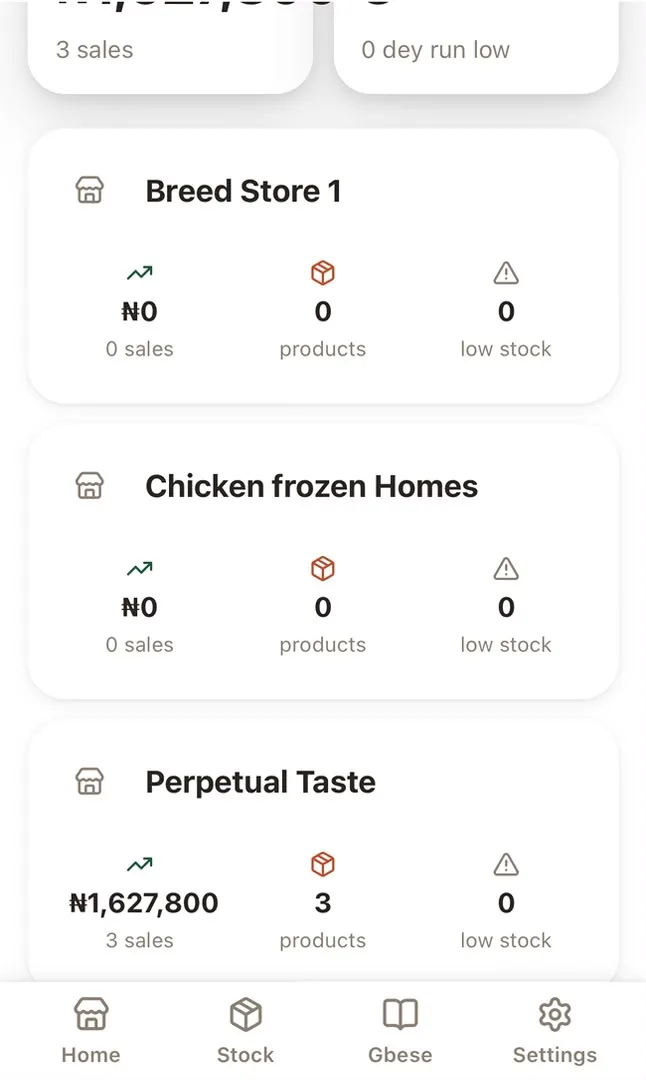
Multi-store, one account
Available on every plan. Run locations from one account, with separate branch records and a combined owner view; plan capacity sets how many locations are included.
- Switch between stores from the same account, each with its own catalog, staff, and credit book
- A merchant-wide rollup shows totals across up to three stores, not just the one you're standing in
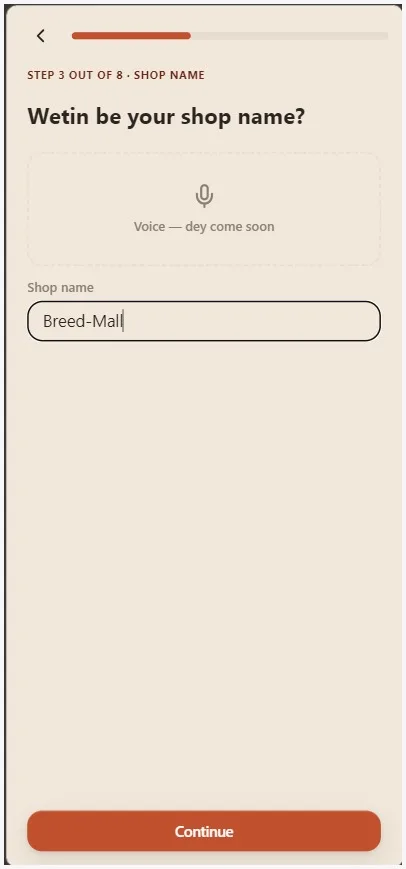
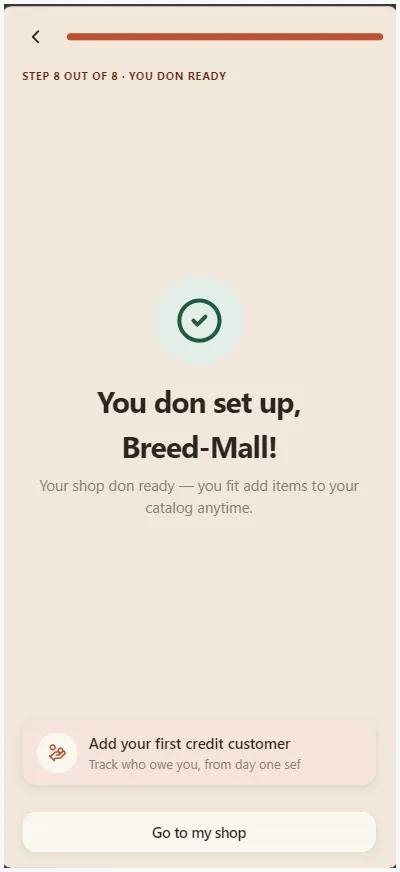
5 minute voice guided onboarding
Get set up without reading a manual or typing much; start using it the same day someone shows you.
- Add your phone number and shop name, then walk the shelf to capture your top items.
- No mandatory step requires typing more than a name or number
- A call comes in, a customer walks up; progress saves itself and resumes where you left off
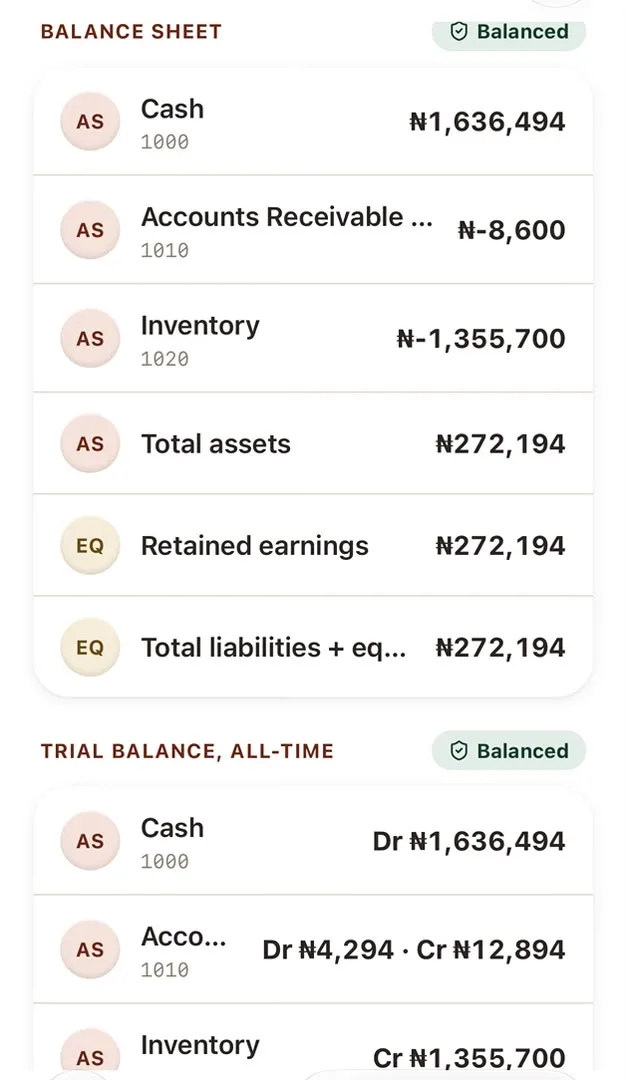
The numbers stay useful as the shop grows
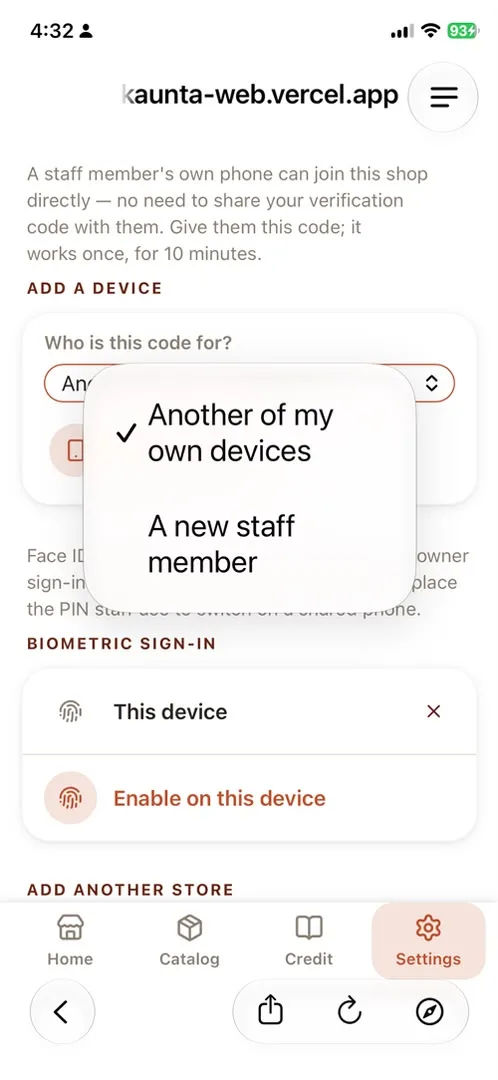
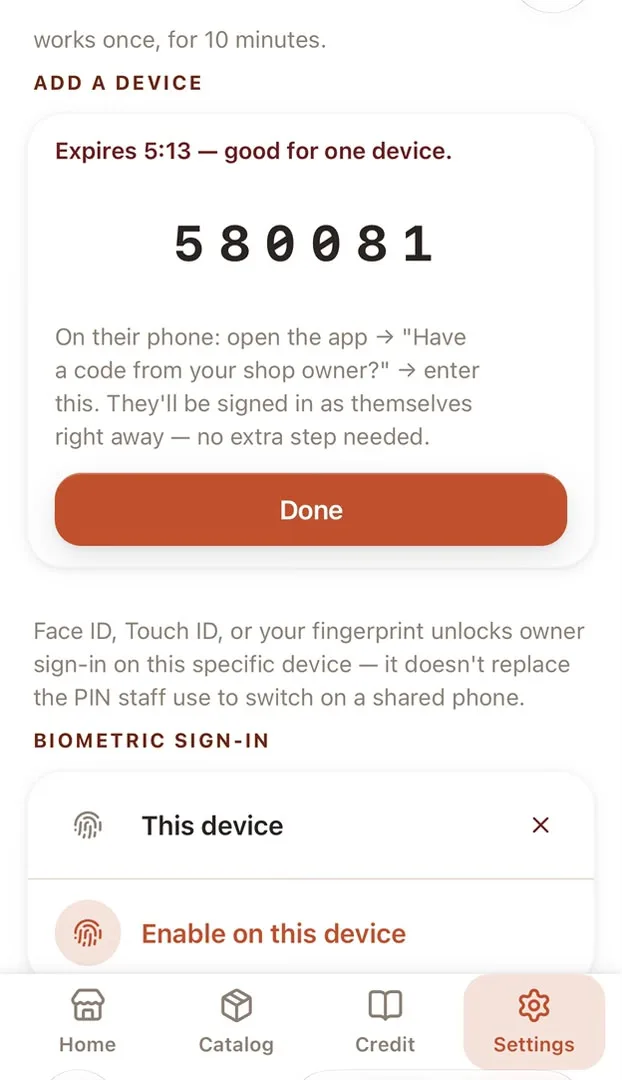
Device pairing & biometric sign-in
Bring a staff member's own phone into the shop without sharing verification codes, then let trusted people sign in with the biometric their device already supports.
- Generate a single-use pairing code that expires after 10 minutes
- Target the code to an existing staff member or create the staff profile during pairing
- Enable Face ID, Touch ID, or Android biometric sign-in per device without changing the person's role
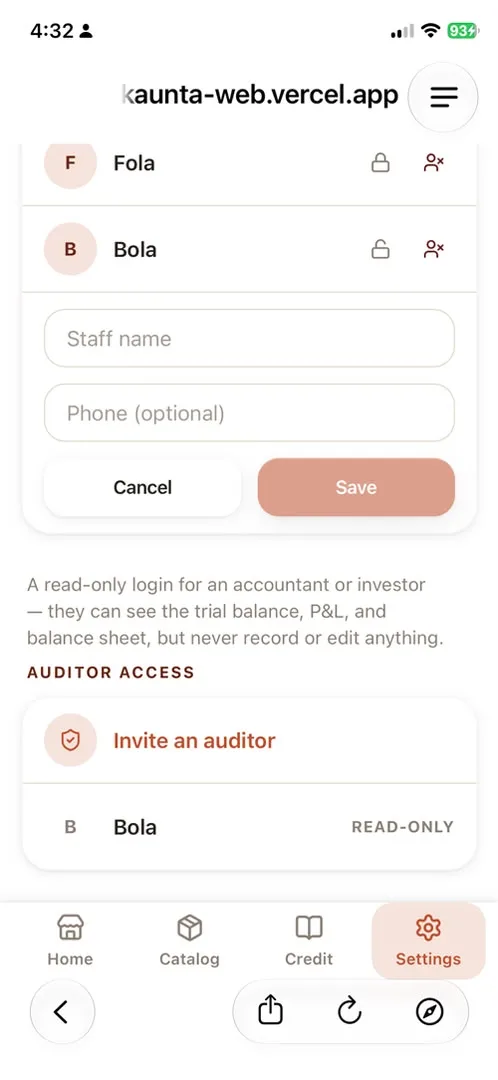
Read-only auditor access
Every plan includes auditor access, so an accountant can review the books without editing stock, staff, or money.
- Invite an auditor with their own phone number and login
- They can view trial balance, profit and loss, balance sheet, VAT collected, and reconciliation reports
- Their account cannot record sales, change stock, edit staff, or write to the ledger
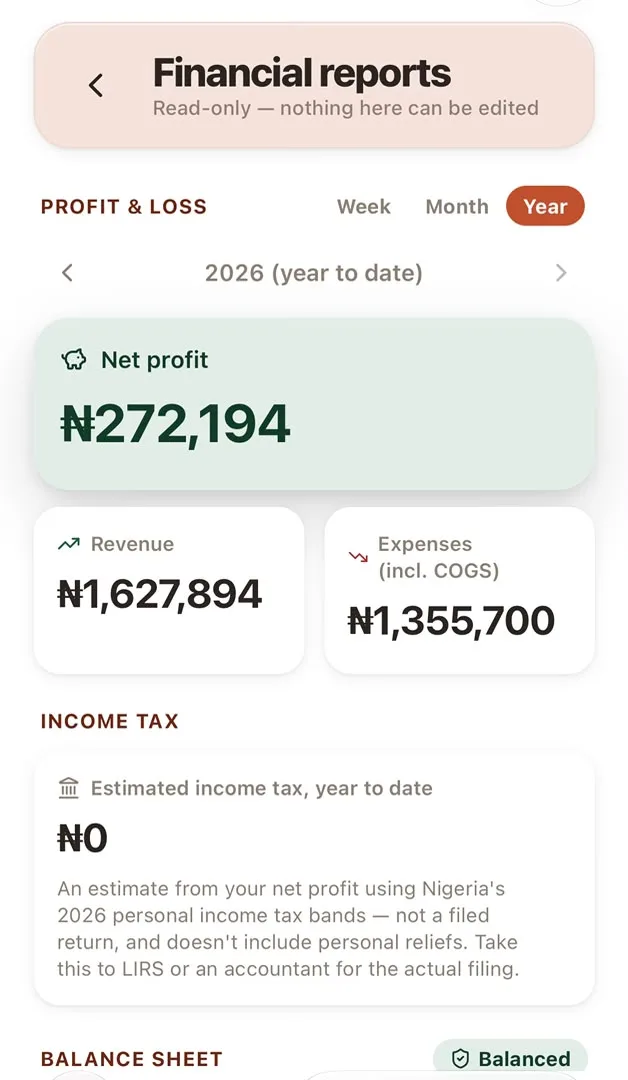
VAT-aware books & financial reports
Accounting reports are available on every plan. Sales, purchases, credit, repayments, expenses, and capital injections flow into books that can be checked instead of reconstructed at month end.
- See profit and loss, balance sheet, trial balance, and VAT collected for a chosen period
- Reconcile recorded stock against recomputed stock and surface negative-margin sales
- Record owner expenses and capital injections as proper ledger entries, not notes in a spreadsheet
- VAT is shown as collected from the ledger; it is not presented as a filed tax return or a guess about what you owe
Purchase & restock-cost tracking
Every restock is a real purchase record, not just a stock number going up: quantity, unit cost, and who logged it, tied straight into the books.
- Each restock event records product, quantity, unit, and cost price as its own purchase record
- Purchase cost flows straight into the ledger; COGS and margin are computed from real purchase history, not a guess
- Drill into any past restock to see exactly what was bought, at what cost, and by whom, with suppliers kept as their own directory, not re-typed each time
In-app notification center
Every alert Khanta sends also lands in one inbox inside the app, so nothing depends on WhatsApp or a push notification actually getting through.
- Restock alerts, approval requests, shift flags, and sync failures all land in the same inbox
- Mark read, filter by type, and never lose an alert to a missed WhatsApp message
Daily operations & register reconciliation
At close, see the whole day on one screen: what the register should hold against what it actually holds, not a forensic reconstruction tomorrow.
- A one-tap daily summary: sales, cash expected vs. counted, and every shift session for the day
- Short or over, the gap is shown and attributed, ready to export if you need to hand it to someone else
Sales & customer analytics
Beyond the books: which products actually move, which customers buy the most, and when your shop is actually busy.
- Top products, slow movers, and peak hours, computed from your own sales history
- Repeat-customer patterns, not just one total-sales number for the month
Ready to put it on your shelf?
Stop expired sales, spot stock gaps early and see who changed the record. Start with the tools your shop needs today.
Open Khanta app